Your EA needs to come off a losing pair. Right now. You are not at your desk.
The traditional answer is opening RDP, waiting for the remote desktop to load, finding MetaTrader inside it, then right-clicking the chart - by the time all of that finishes, the moment that mattered is usually gone. MTRemote skips the whole chain: you open the chart on your phone, and it is already there.
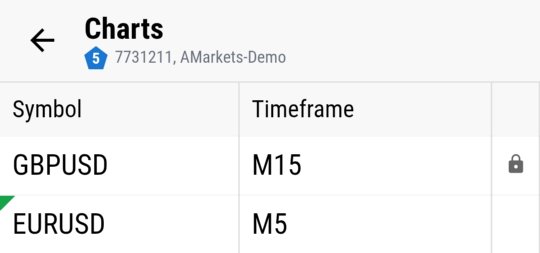
Full charts, live from your terminal
Candlestick charts rendered from your terminal's own live data, not a static screenshot or a simplified mobile view. The chart you see on your phone is drawing from the same price feed the desktop terminal uses.
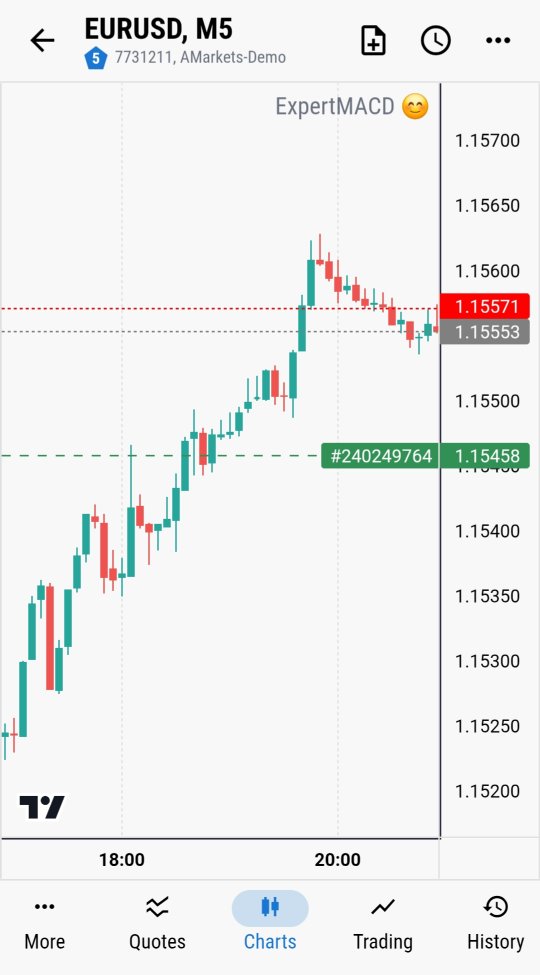
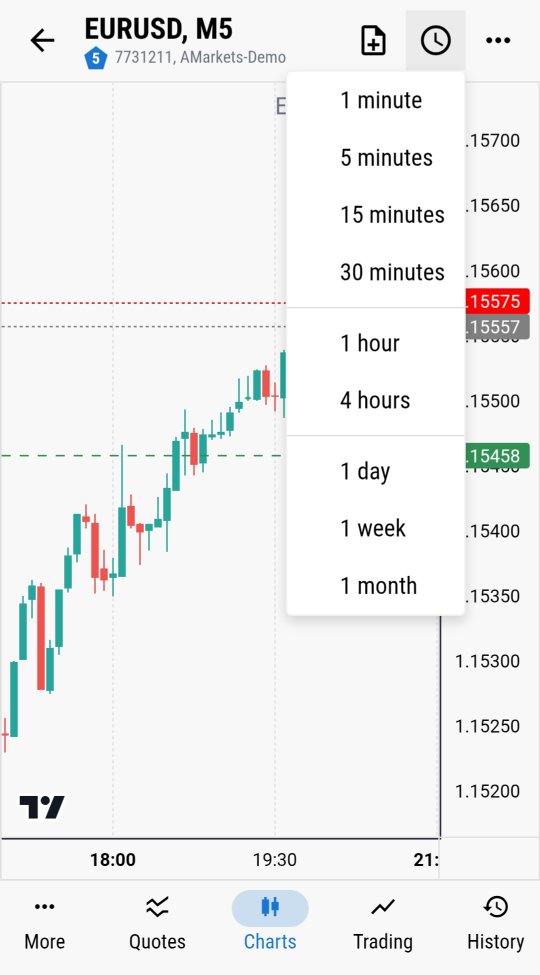
Switch timeframes instantly
One minute to one month, one tap. Reviewing how a setup looked on the higher timeframe before deciding what to do about a position doesn't require closing the app and reopening a different view - it's the same chart, redrawn.
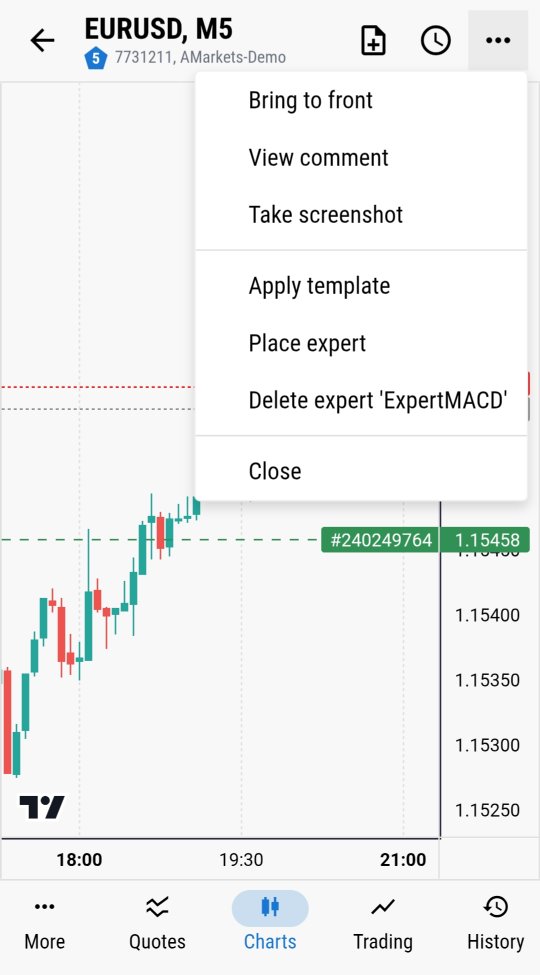
Attach or remove an Expert Advisor from the chart's own menu
This is the part that turns MTRemote from a monitoring tool into a control tool: "Place expert" and "Delete expert" are available directly from the chart, the same way they work in the desktop terminal. If a pair is behaving badly and the EA on it needs to come off, that action happens in a few taps, not a remote desktop session.
What "remote control" should actually mean
A lot of mobile trading tools stop at showing you numbers - a live P&L figure, a price ticker, maybe a chart you can look at but not act on. That's monitoring, not control. Being able to attach and remove an EA from a chart, live, from a phone, is the difference: not just watching what your terminal is doing, but being able to change it.
Charts and EA control are one part of what MTRemote gives you access to remotely - logs, diagnostics, market watch and full trading history are covered in the rest of this series.
Ready to control your own charts remotely? Follow the setup guide to install MTAgent and connect.