Manage Your MetaTrader Remotely - No RDP Needed

Control all your MetaTrader terminals from your phone or any computer. Orders, charts, notifications - all in one place.

Why MTRemote

Everything a trader needs for remote monitoring and control

phone_iphone

Access from Any Device

Open the control panel from your phone, tablet, or another PC - all you need is a browser

monitor_heart

All Terminals at Once

Monitor multiple MT4/MT5 terminals on different computers from a single dashboard

notifications_active

Push Notifications

Instant alerts when a terminal or agent starts or stops

lock

Security

End-to-end encryption - the server sees nothing, the key stays only with you

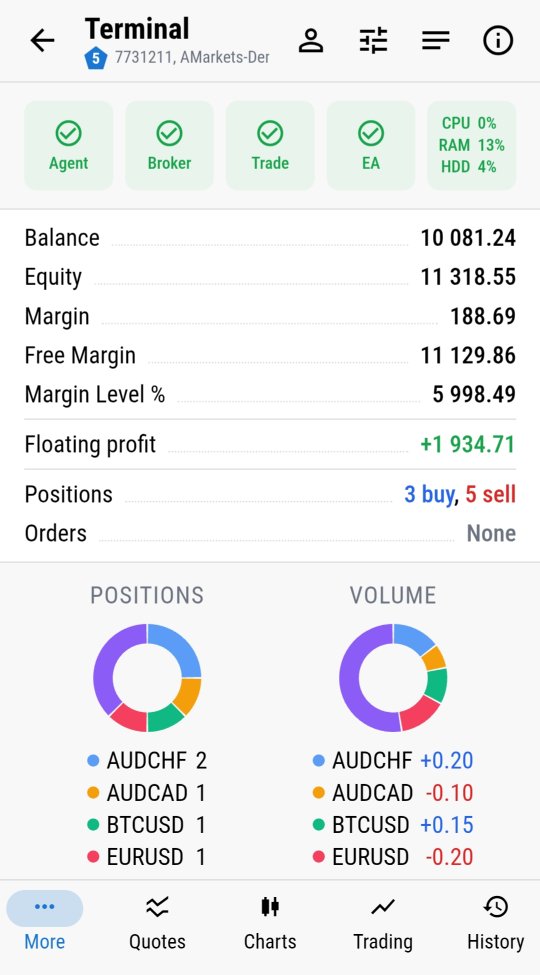
MTRemote terminal dashboard with status, balance and positions
LIVE DASHBOARD

Every Terminal's Full Status, At a Glance

  • Agent, Broker and Trade connection status at a glance
  • CPU, RAM and disk load of the machine running the terminal
  • Balance, equity, margin and margin level
  • Floating profit and the number of open positions and orders
  • Positions and volume broken down by symbol on donut charts

Everything updates live, the moment it changes on your terminal.
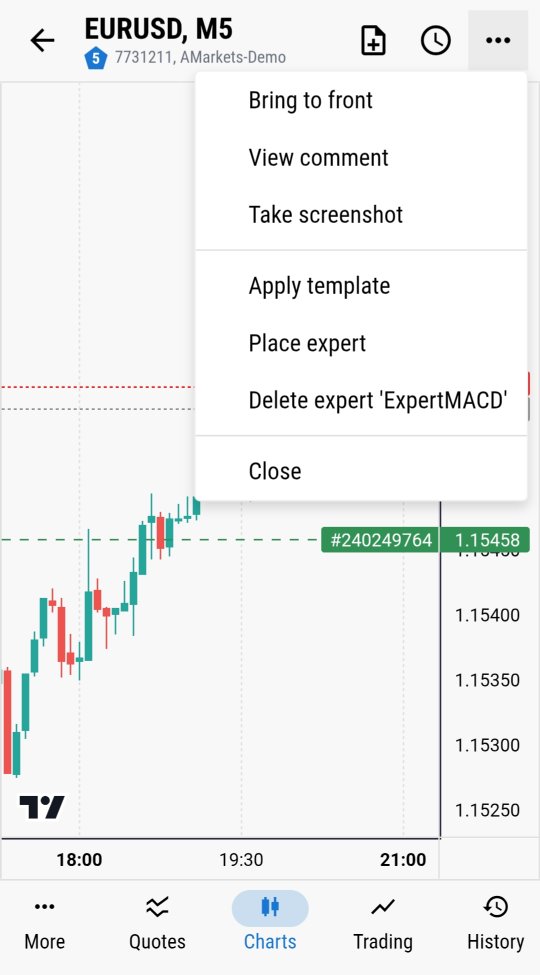
Place expert and Delete expert menu on a chart in MTRemote
CHART CONTROL

Any Action on the Selected Chart

  • Attach any Expert Advisor from the list available on your terminal
  • Stop or remove an Expert Advisor from the chart
  • Apply any of your saved templates
  • Get a real screenshot of the chart from your terminal
  • View the comments your EA prints on the chart
  • Change the timeframe and symbol of the selected chart

Any command is executed immediately on your terminal.
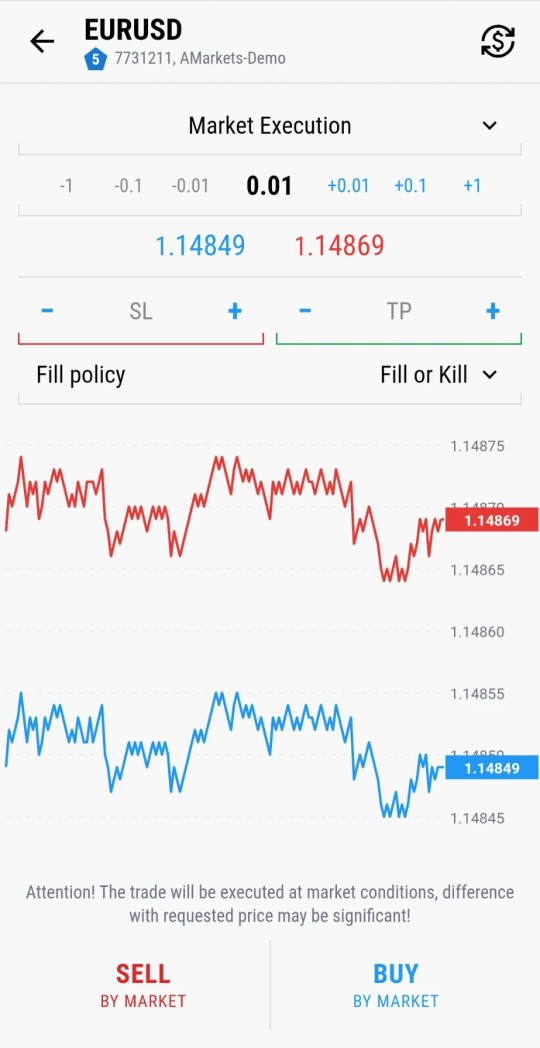
Market Execution trade ticket with SL/TP and a live price chart in MTRemote
TRADE CONTROL

Trade Like in the Terminal

  • Open any position or order
  • Set and adjust Stop Loss / Take Profit levels
  • Pick any symbol and lot size
  • Close or modify any order already placed

Every trading action you'd do at the desktop is available right here.
How It Looks

A closer look at the panel itself

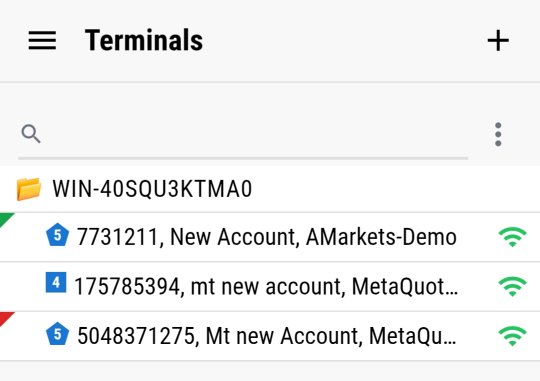
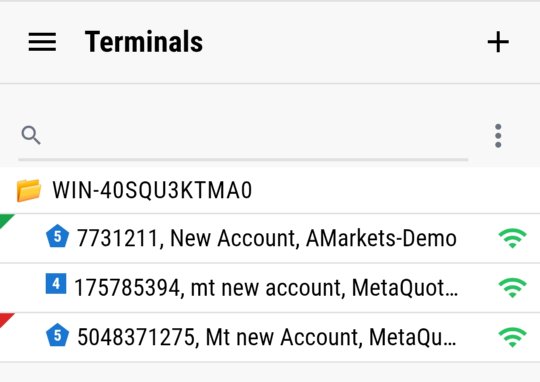
Terminals list in MTRemote
All your terminals, one list
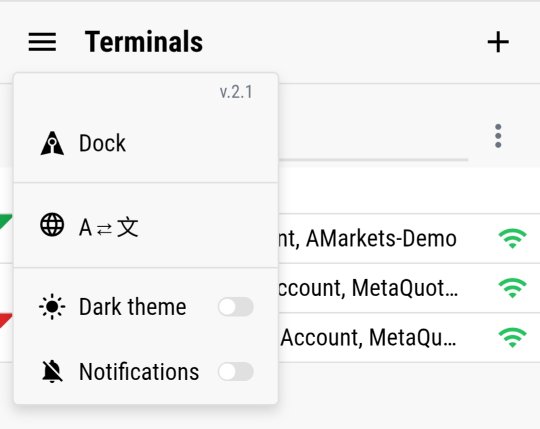
MTRemote Dock menu
The MTRemote menu - language, theme, notifications
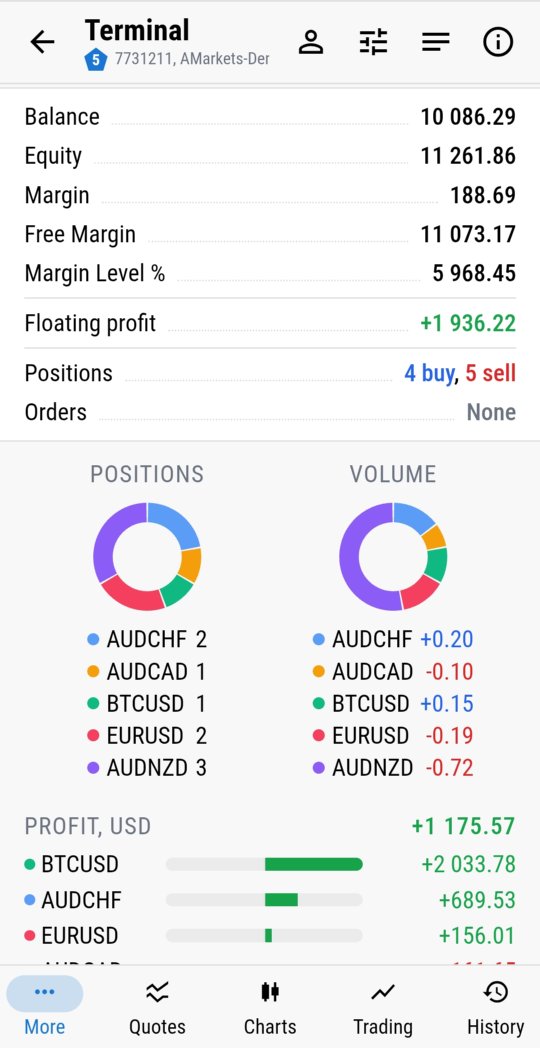
Terminal dashboard with profit by symbol in MTRemote
Live dashboard, profit broken down by symbol
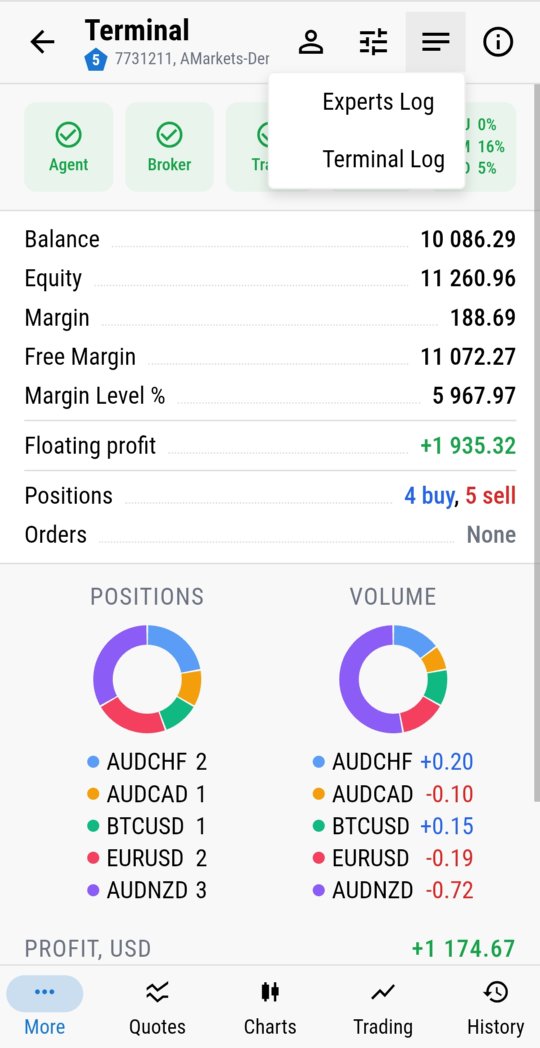
Experts Log and Terminal Log menu in MTRemote
Experts Log and Terminal Log, one tap away
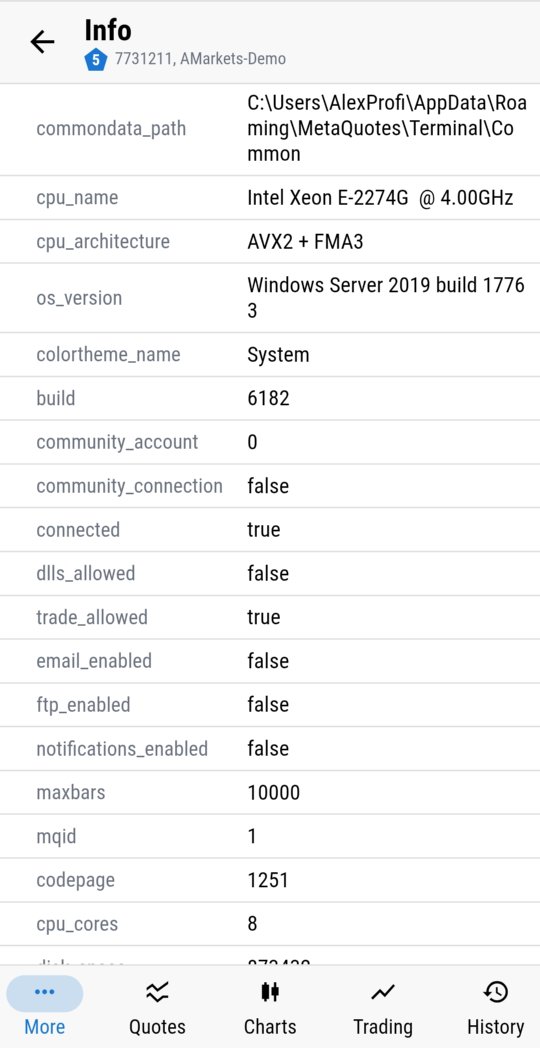
Account and system diagnostics in MTRemote
Full account and system diagnostics
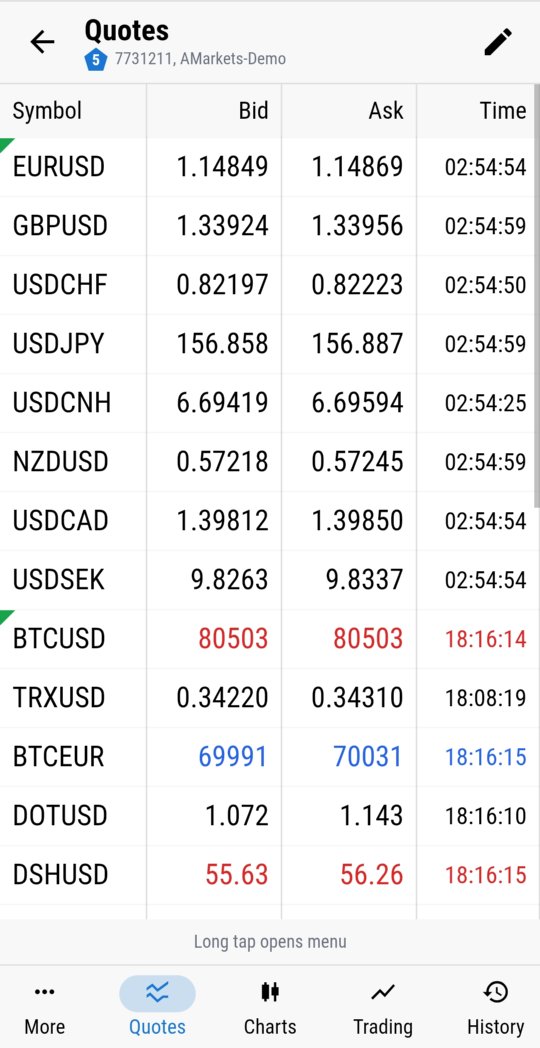
Live quotes table in MTRemote
Live quotes for every symbol
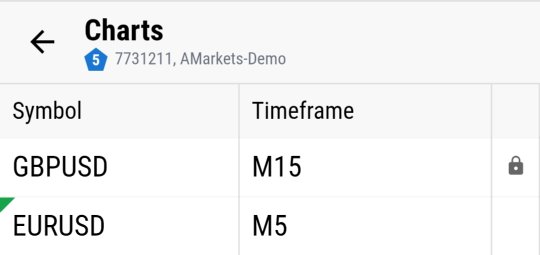
List of open charts in MTRemote
Every open chart, one list
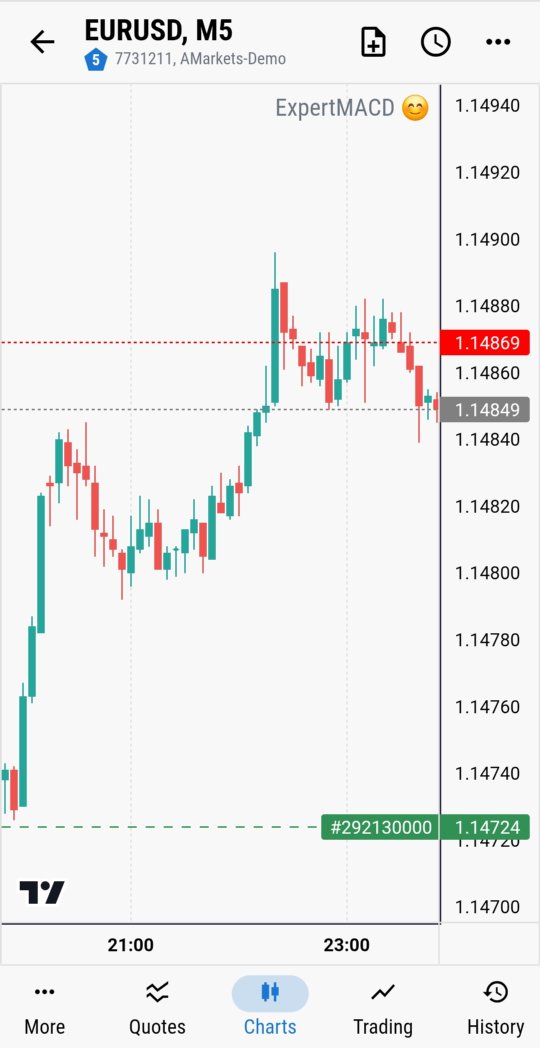
Live candlestick chart with a running EA in MTRemote
Live candlestick chart with a running EA
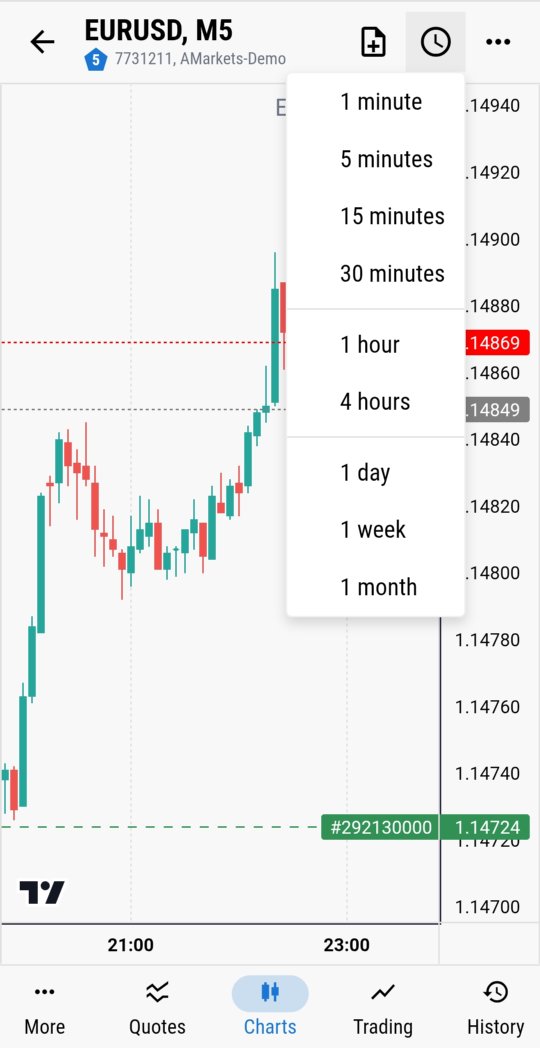
Timeframe picker in MTRemote
Switch timeframes in one tap
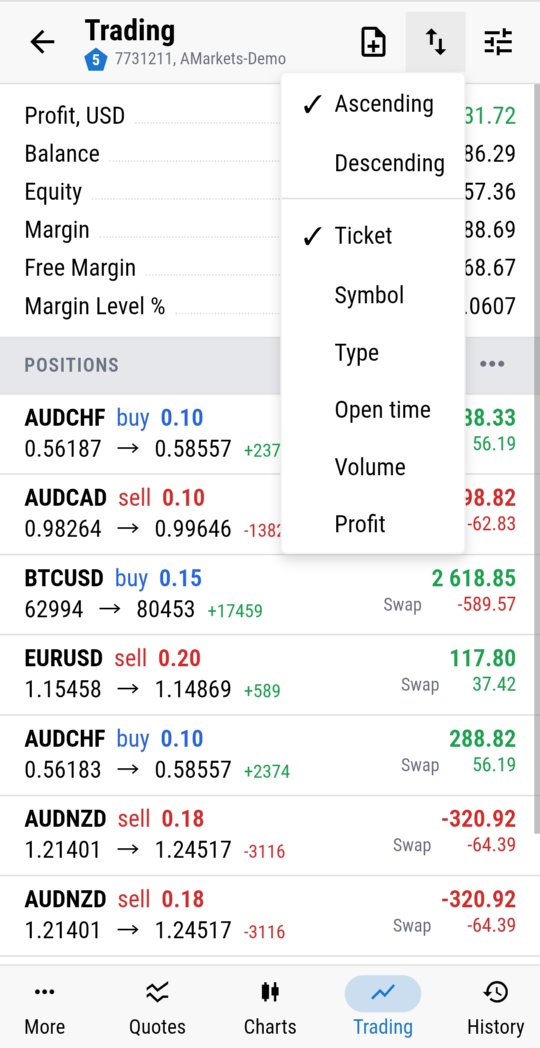
Open positions sort menu in MTRemote
Open positions, sorted your way
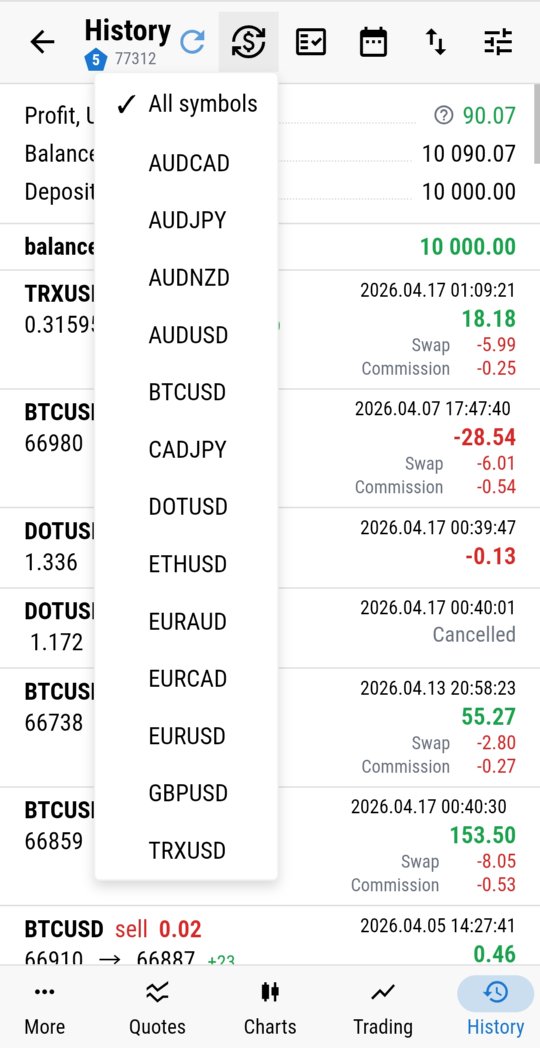
Trade history filtered by symbol in MTRemote
Trade history filtered by symbol

How It Works, Technically

Three components, one encrypted chain from chart to phone

show_chart ON THE CHART

MTRemote EA

Attached to a chart in each terminal. Links to MTAgent over a local pipe and reports connection status - it never talks to the network itself.

→
dns ON THE PC

MTAgent

Installed once, starts with regular user rights, opens no inbound ports. Relays everything to your client end-to-end encrypted.

→
phone_iphone ON YOUR PHONE

MTRemote Panel

Web app or Android APK. Connects to the agent by key and OTP, or by scanning a QR code.

How It Works

Three simple steps - and you're managing terminals remotely

1

Install MTAgent

Download and run the utility on the Windows PC with your MT terminals

2

Get MTRemote EA

Get MTRemote EA on MQL Market and attach it to a chart in your terminal

3

Manage Remotely

Open the control panel from any device and control all your terminals

Security

The trading logic never leaves your terminal - only encrypted status and commands travel

lock

End-to-end encryption, and the key never leaves your side

  • End-to-end encryption between your MTAgent and the web or Android client.
  • The key is derived from a password you set yourself - it is never sent to any service.
  • No intermediate point can decrypt the content.
  • The panel on the chart loads no external libraries and only talks to the local MTAgent over a pipe.

Who It's For

If any of this sounds familiar, MTRemote was built for you.

  • 01Anyone working with several brokers at once
  • 02Anyone running Expert Advisors on a home PC or a VPS
  • 03Anyone tired of switching between five apps on their phone
  • 04Anyone who wants to see and control their terminals without turning remote access into an RDP quest
List of MetaTrader terminals across brokers in MTRemote

See how it works before you install it

mail Request a demo

Ready to Start?

MTRemote EA is distributed via MQL Market as an Expert Advisor (EA).