Open a position. Close one. Check what happened last Tuesday. These are the things you would normally do sitting at the desktop terminal - MTRemote puts the full trading workflow in your hand instead.
Manual trading, done properly
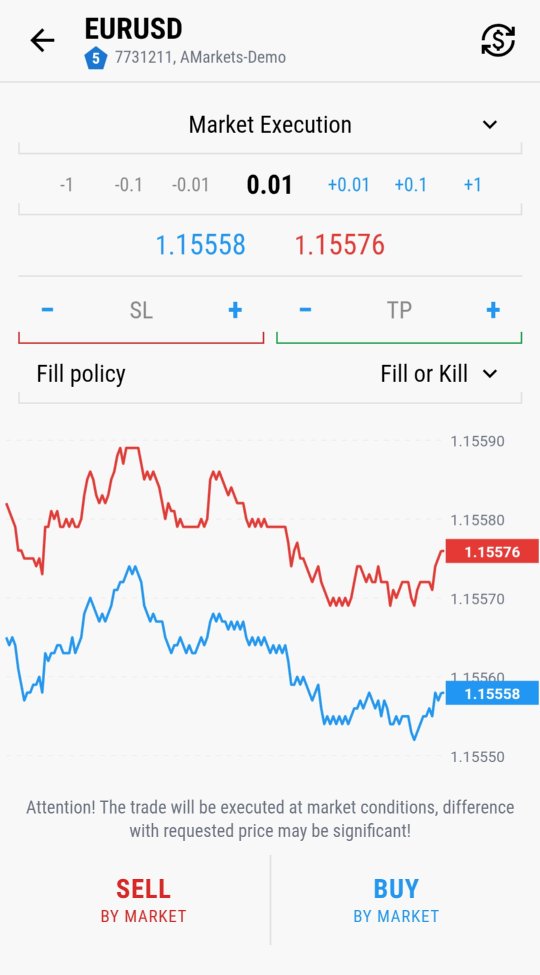
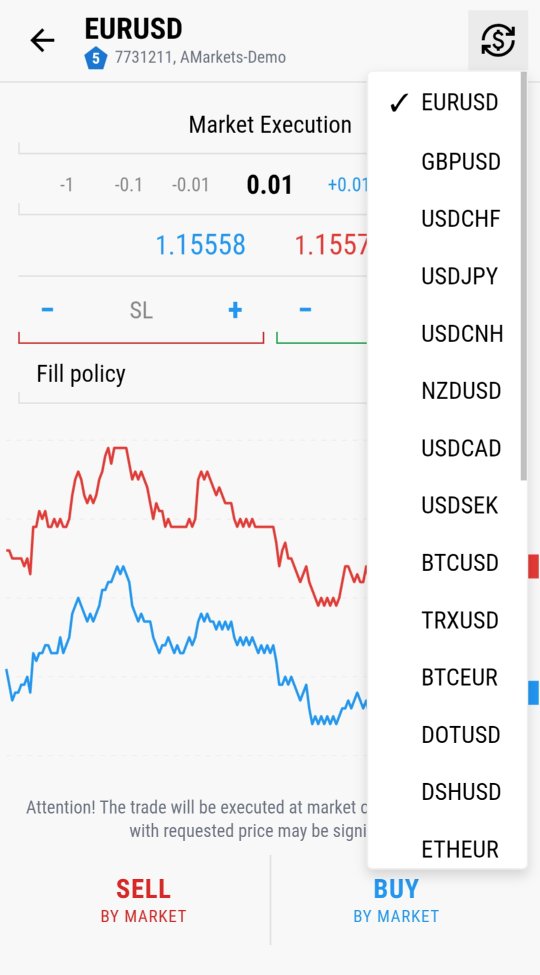
Market Execution, adjustable lot size, live Stop Loss / Take Profit setup, fill policy, and a live price chart right on the ticket itself. Buying or selling by market takes two taps, but nothing about the ticket is simplified away - every field a trader would expect on the desktop terminal is there on the phone too.
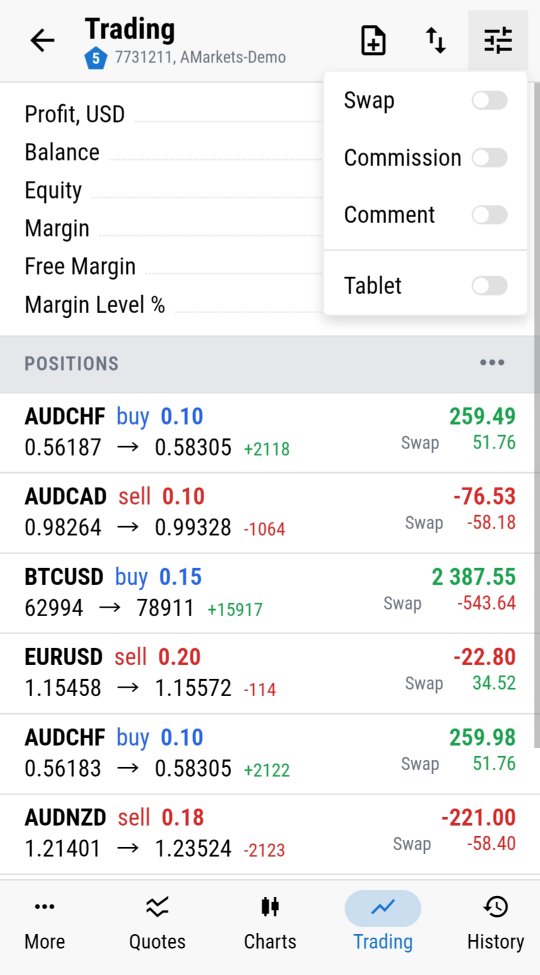
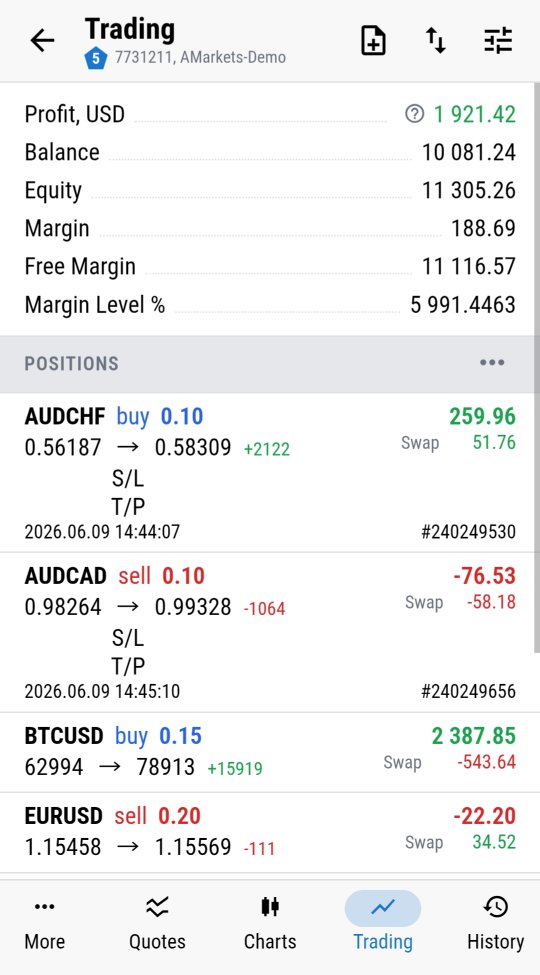
Open positions, fully managed
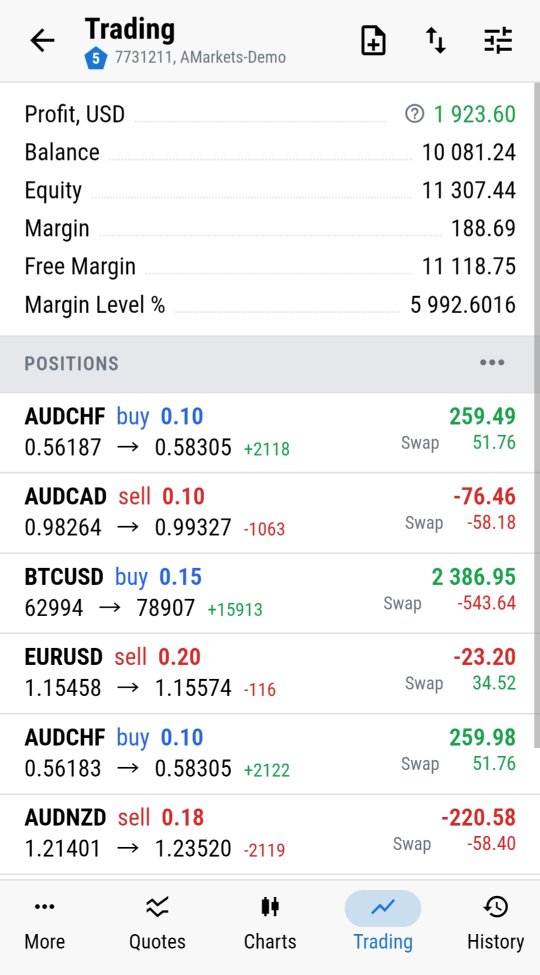
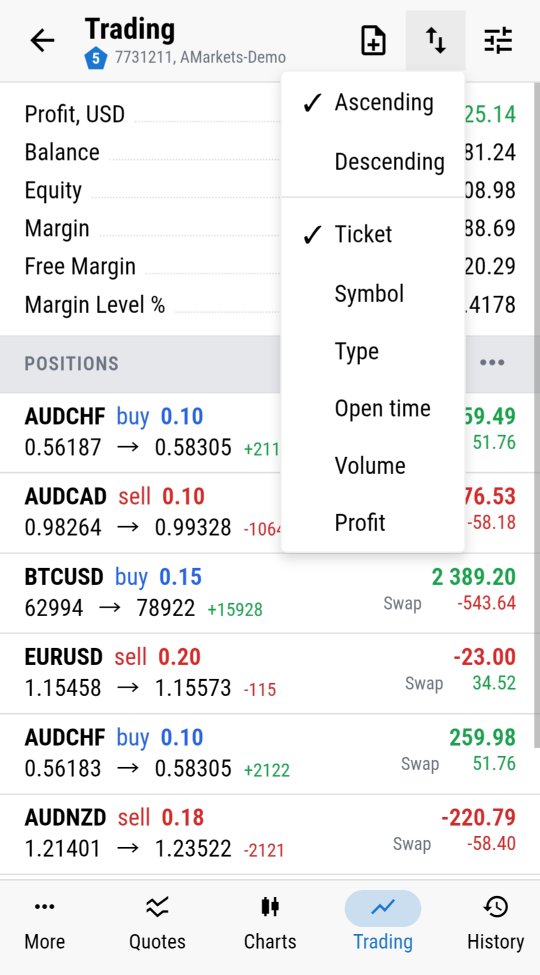
Every open position shown with entry price, current price, swap, profit, ticket number and open time. Sort by symbol, type, open time, volume or profit, and toggle exactly which columns matter to you right now. Managing five open positions or fifty works the same way - the data is complete, not trimmed down for the screen size.
Trade history that goes as deep as you need
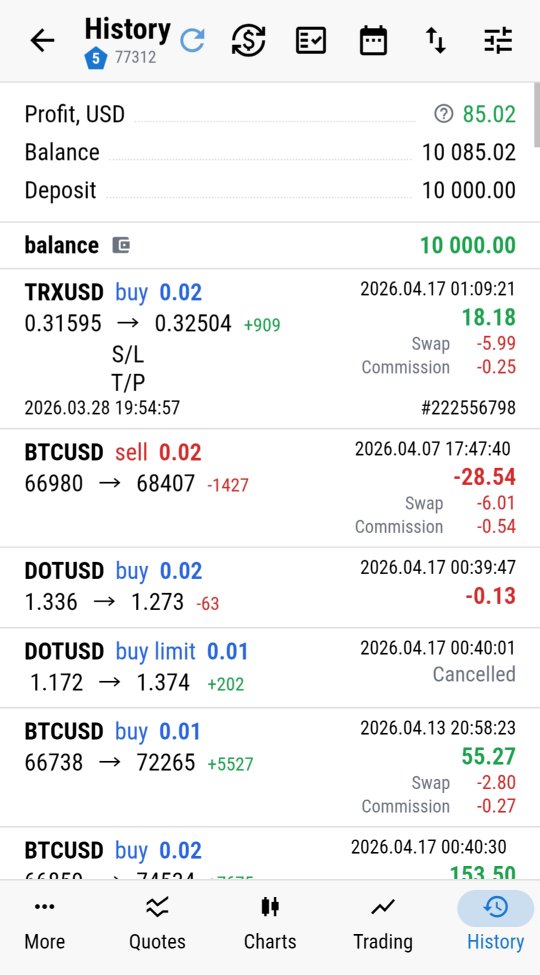
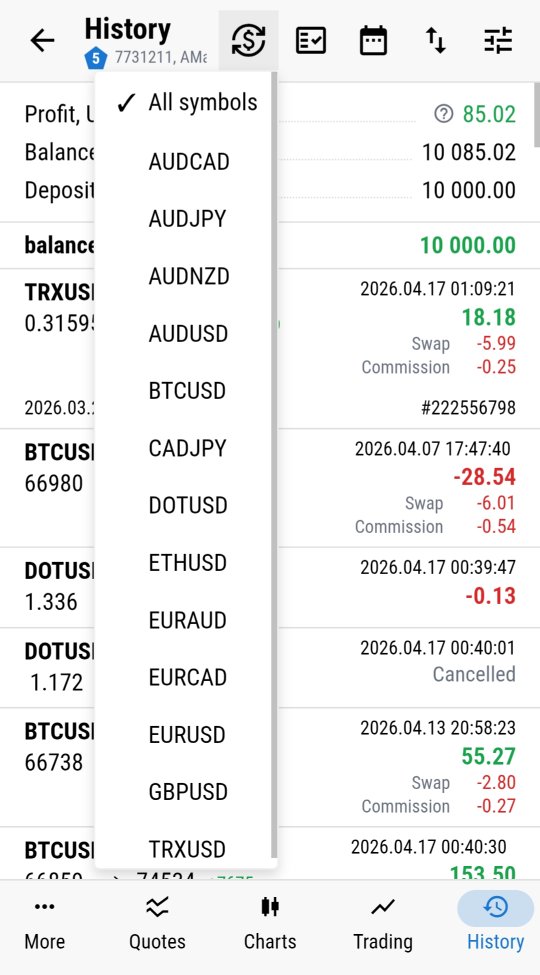
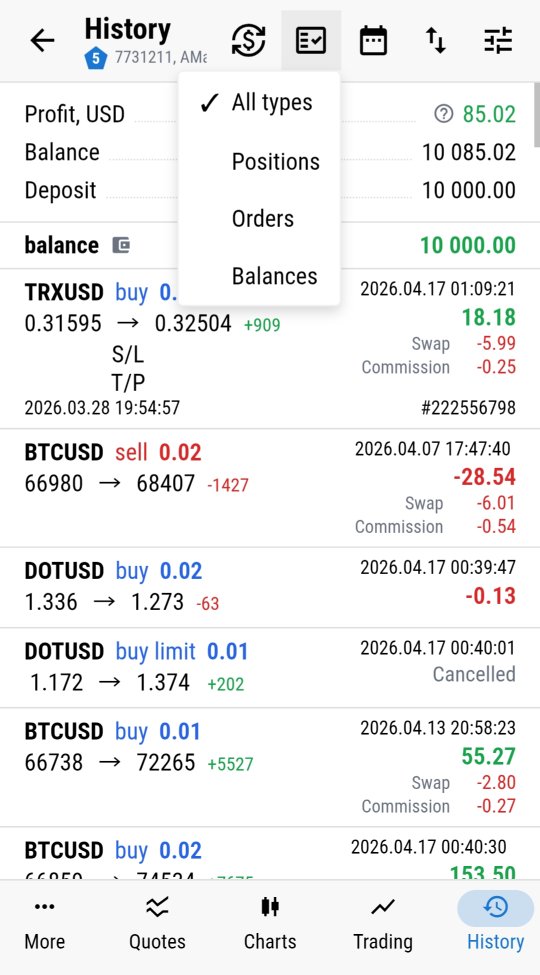
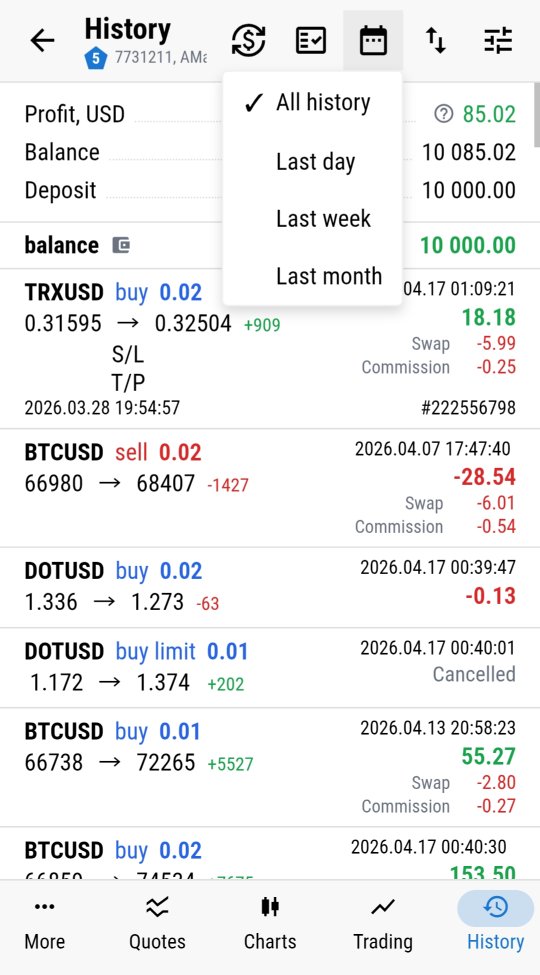
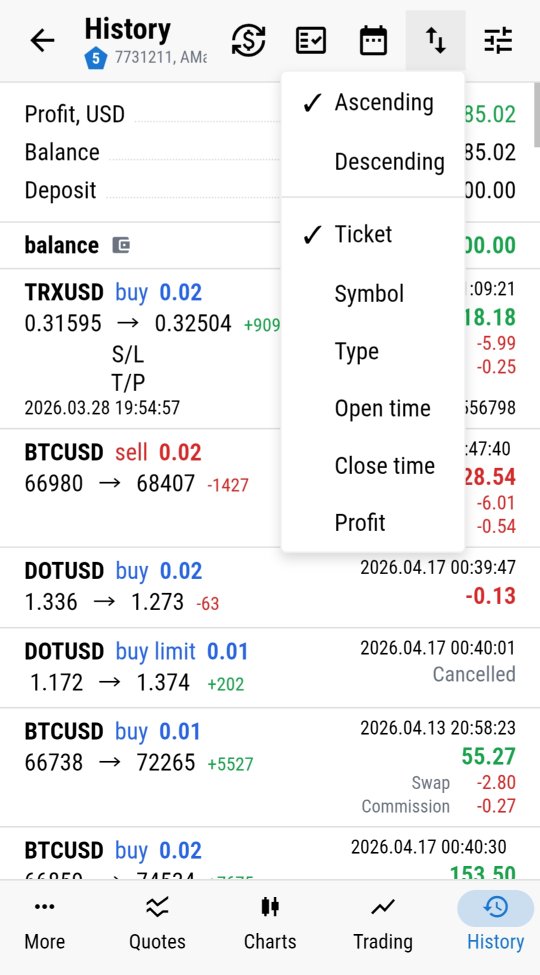
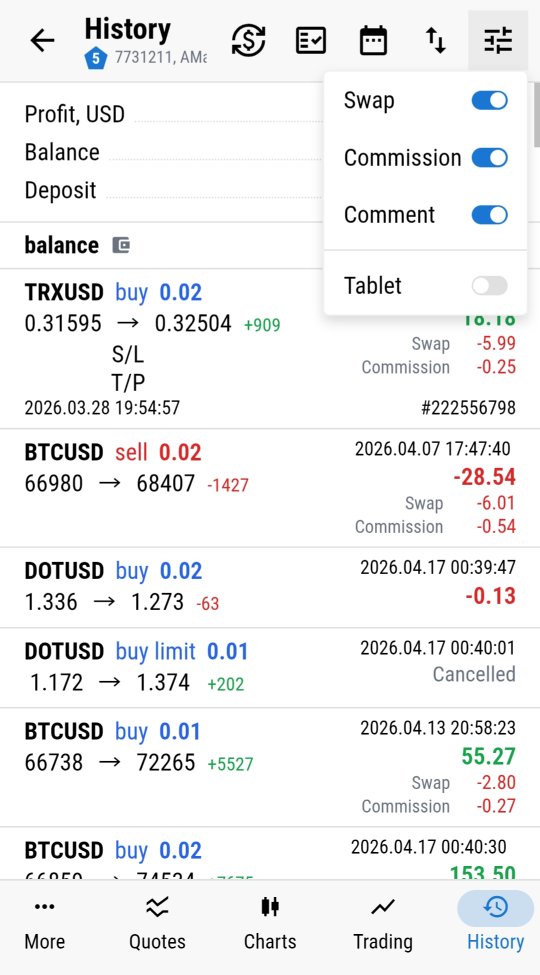
Filter by symbol, by type - positions, orders, balance operations - and by period: day, week, month, or all time. Sort however makes sense for the review you are doing, with full commission and swap breakdown included rather than a rounded net figure. Reviewing last Tuesday's session in detail works the same way whether you're doing it from the desktop or from a phone on the train.
Where this fits
This is the point where everything comes together: terminals, logs, diagnostics, Market Watch, chart-side EA control, and now the trading workflow itself. Everything you would normally do sitting at the desk is available from wherever you actually are - not a simplified companion view, but the full terminal experience, remote.
Ready to trade from your own terminal remotely? Follow the setup guide to install MTAgent and connect.