How It Looks
A closer look at the panel itself
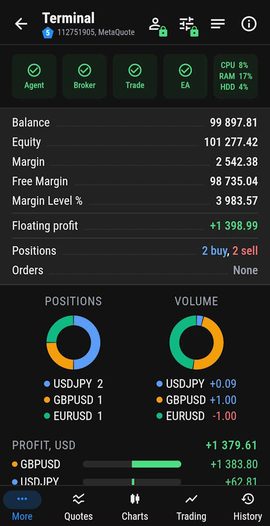
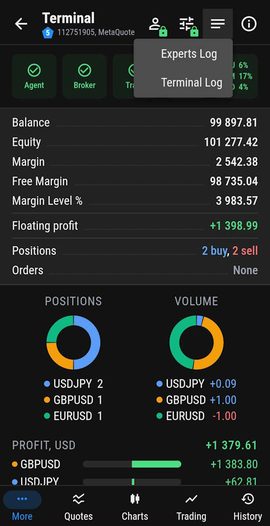
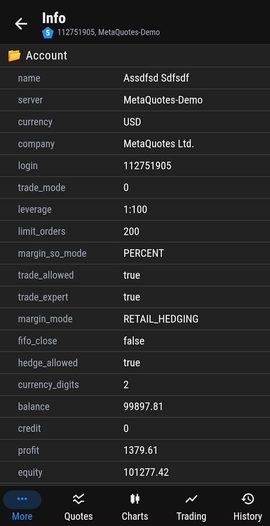
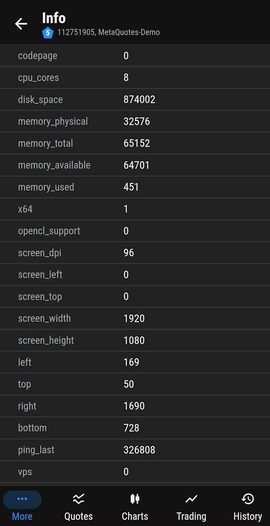
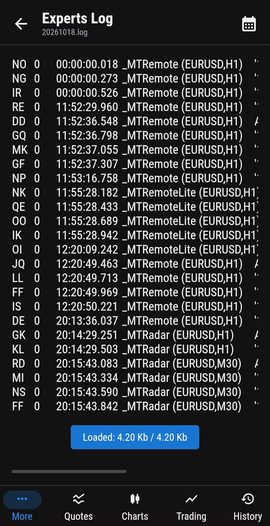
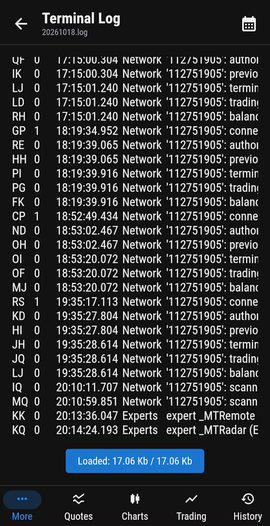
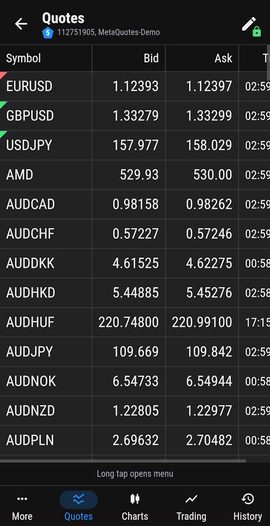
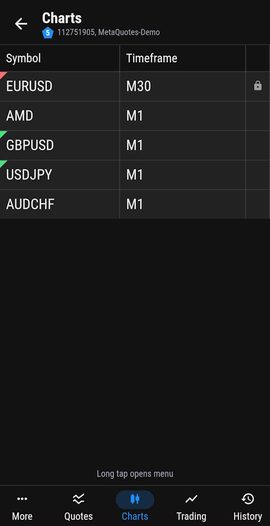
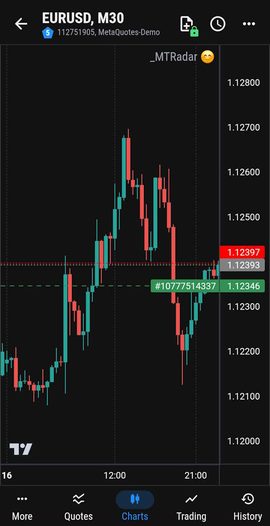
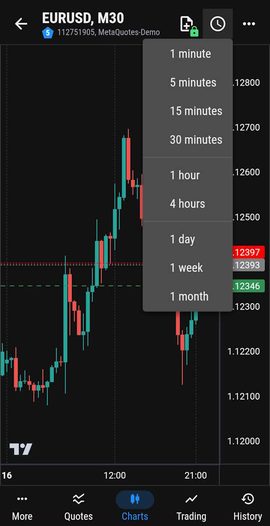
Free MetaTrader monitoring that is always with you
Free · Monitoring only · No sign-upIs the EA running? Is the terminal connected? What landed in the log overnight? Open MT-Radar on your phone and get the answer in seconds - no RDP and no laptop. MT-Radar always keeps you posted on what is happening with your terminals. And if you spot that something went wrong, MT-Remote lets you fix it from the same panel.
Made for traders who keep EAs on a VPS or a home PC and simply want to know everything is alive.
Account details and general information about your terminal - view only.
Read what your terminal and your EAs wrote to the logs.
Watch the quotes of the symbols in your Market Watch.
Open a chart and see the state of the Expert Advisor running on it.
A closer look at the panel itself
MT-Radar cannot trade, and everything it shows travels encrypted
Three free components, one encrypted chain from your terminal to your phone
Free Expert Advisor attached to a chart in each terminal. Links to MTAgent-Radar over a local pipe and reports the terminal state - it never talks to the network itself and cannot trade.
Free agent, installed once, starts with regular user rights, opens no inbound ports. Relays everything to your client end-to-end encrypted.
One panel for both MT-Radar and MT-Remote: a web app that works in any browser. Connects to the agent by key and OTP, or by scanning a QR code.
Three simple steps - and you're monitoring your terminals remotely
Get the free MT Radar for MT4 / MT5 on MQL Market and attach it to a chart in your terminal
Download and run the free agent on the Windows PC with your MT terminals
Open the control panel from any device and watch all your terminals
MT-Radar shows that an EA has stopped or algo trading is switched off. MT-Remote lets you fix it right away: turn algo trading on, reinstall the EA, close a position or switch the account. The same panel, the same level of protection - the control buttons simply appear.
| MT-Radar | MT-Remote | |
|---|---|---|
| Price | Free | Paid |
| Terminal | ||
| Switching between accounts | — | ✓ |
| Turning algo trading on / off | — | ✓ |
| Terminal and Experts logs | ✓ | ✓ |
| Account and general information | ✓ | ✓ |
| Market Watch | ||
| Viewing quotes | ✓ | ✓ |
| Adding / removing a symbol | — | ✓ |
| Opening a new chart window | — | ✓ |
| Switching timeframes | — | ✓ |
| Charts | ||
| Viewing a chart with the EA state | ✓ | ✓ |
| Switching timeframes | — | ✓ |
| Attaching / removing an EA | — | ✓ |
| Applying a template | — | ✓ |
| Screenshots | — | ✓ |
| Comments | — | ✓ |
| Trading | ||
| Open / Close / Modify Positions / Orders | — | ✓ |
| Positions list | — | ✓ |
| Filtering and sorting | — | ✓ |
| History | ||
| Orders list | — | ✓ |
| Filtering and sorting | — | ✓ |
Yes. MT Radar for MT4 and MT Radar for MT5 are free on MQL5 Market, and so is the MTAgent-Radar agent. No sign-up is needed.
No. It is view-only: it shows the terminal, the account, quotes, logs and charts with the EA state, but cannot open, close or modify positions and orders, or change terminal settings. Trading and control are part of MT-Remote.
Install MTAgent-Radar on the same Windows machine as the terminal - a home PC or a VPS - attach the free MT-Radar EA to a chart and open the panel on your phone. No RDP is needed.
Three things: the free MT-Radar EA in your MT4/MT5 terminal, the free MTAgent-Radar agent on the same computer, and the panel in your phone's browser. To download the agent you enter the code that the EA writes to the Experts log when you attach it for the first time.
MT-Radar cannot place trades. Traffic between the agent and the panel is end-to-end encrypted, and the key never leaves your side.
MT-Radar is view-only: terminal and Experts logs, account and general information, Market Watch quotes and charts with the EA state. MT-Remote includes all of that and adds trading, positions and history, switching accounts and algo trading, attaching EAs, templates and more - from the same panel.