Forex majors, crypto pairs, indices, metals, stocks from a dozen countries - a broker's full symbol list can run into the hundreds. Managing which of them you actually watch shouldn't require sitting down at the desktop terminal. MTRemote brings your entire Market Watch to your phone, live.
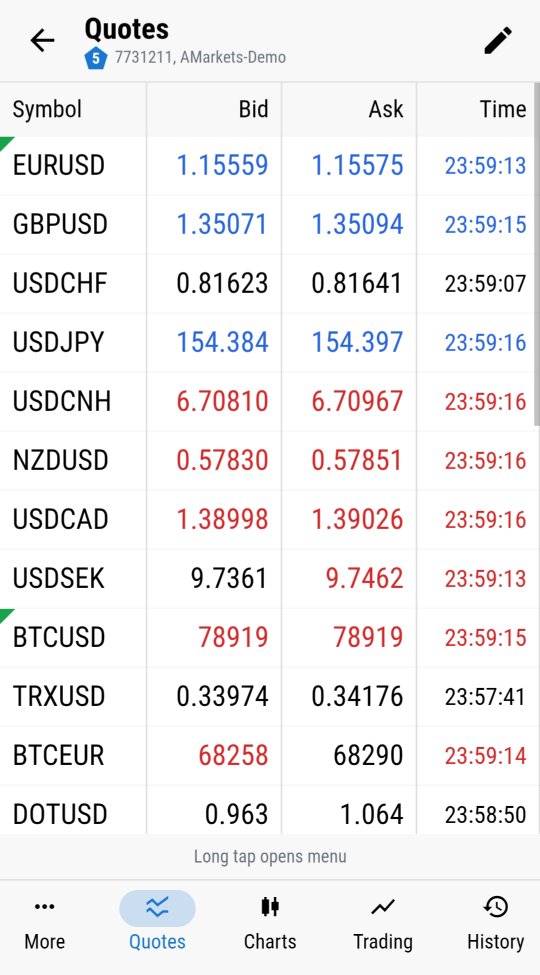
Live quotes, updating in real time
Bid, Ask and time, updating exactly as they do in the desktop terminal, for every symbol your broker offers. This is not a delayed snapshot pulled every few minutes - it is the same live feed the terminal itself receives, mirrored to the panel.
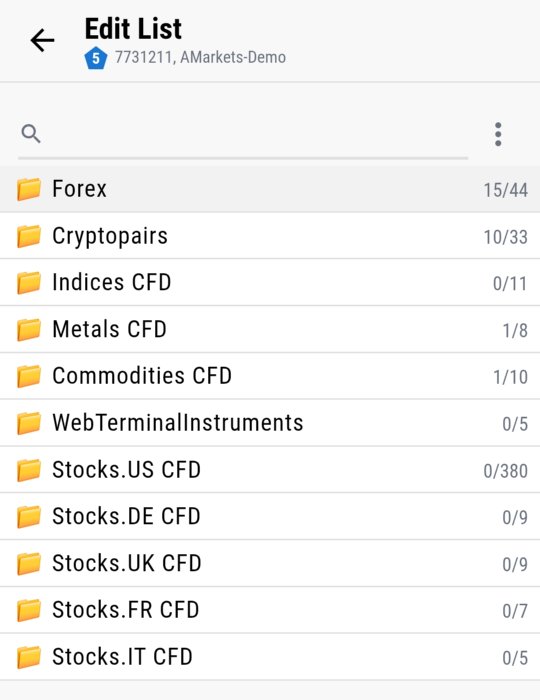
Organized the way you already think about it
Forex, crypto pairs, indices CFDs, metals CFDs, commodities CFDs, stocks grouped by country - hundreds of instruments sorted into the same categories the desktop terminal uses, and searchable when you know exactly what you are looking for. Scanning across an unfamiliar symbol list on a small screen only works if it is organized well, and this mirrors the structure you already know from the desktop.
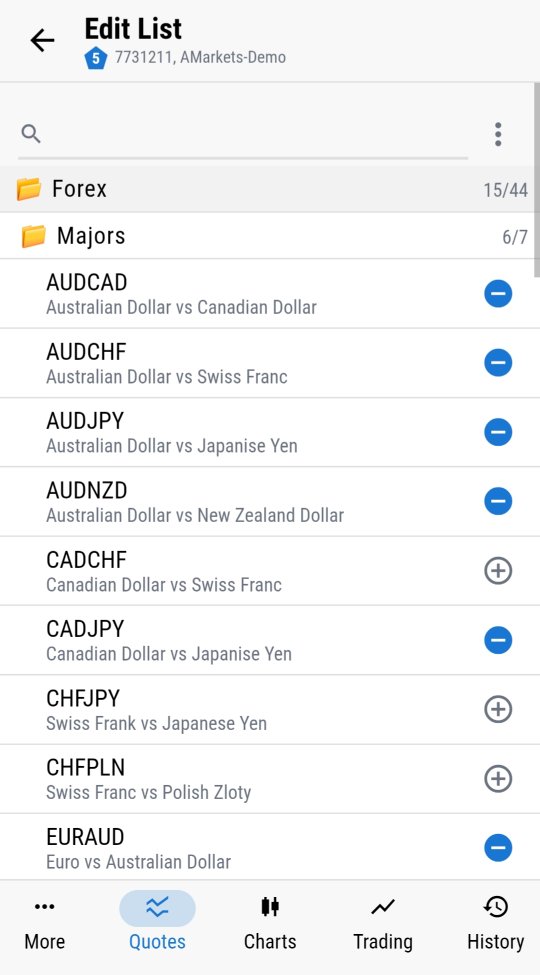
Add or remove symbols on the fly
Building a new watchlist, or trimming down an old one that has accumulated fifty pairs you no longer trade, takes a tap - not a remote desktop session to reach the terminal's own symbol manager. The Market Watch you curate on your phone is the same one the terminal keeps, kept in sync in both directions.
Why this matters beyond convenience
A watchlist tied to a single PC is only useful while you are at that PC. Whether you are tracking five pairs or scanning across four hundred instruments, having Market Watch on your phone means the list travels with you - useful for spotting a move while away from the desk, or simply checking a quote before deciding whether it is worth logging in properly to act on it.
Market Watch is one part of what MTRemote gives you access to remotely - logs, diagnostics, charts and trading history are covered in the rest of this series.
Ready to see your own Market Watch on your phone? Follow the setup guide to install MTAgent and connect.